How to Increase Earnings as a POD Seller

You can spend an evening researching keywords, upload a batch of shirts, and still wake up to the same result: plenty of activity, almost no profit. The designs are live, the tags look reasonable, and your dashboard shows effort without showing meaningful progress.
That's the central problem with many POD side hustles. Sellers often measure output instead of earnings. They count uploads, searches, and hours worked, but those numbers don't tell you whether buyers want the product, whether the listing converts, or whether the phrase exposes the account to trademark risk.
The practical answer to how to increase earnings is less exciting than chasing the next viral trend. Research deeper, improve conversion, protect the catalog, and build a repeatable workflow. More listings can help only after those foundations are working.
Table of Contents
- Why Activity Alone Won't Grow Your POD Income
- Validating Niches With Store-First Research
- Turning Listings Into Revenue With Conversion Optimization
- Choosing Between Manual Validation and Automated Tools
- Protecting Listings With Trademark Screening
- Building a Sustainable Growth Workflow
- Starting Small, Scaling Confidently
Why Activity Alone Won't Grow Your POD Income
A seller I know once described their weekly routine as “productive.” They searched broad phrases, created several variations, adjusted tags, and uploaded designs across multiple marketplaces. At the end of the month, the store looked busy, but the sales still came from a small number of older products.
That pattern is common. A large catalog can hide weak decisions. If the original niche has little buying intent, adding more designs only creates more products that compete for the same limited attention.
The income plateau is also real for many side hustlers. Bankrate's 2025 survey reported median side hustle income of $200 per month, with 28% of side hustlers earning only $1 to $50 monthly, while 19% of Americans had a side hustle, the lowest share in that survey's series since 2017. The same source reported that men's average side hustle income was roughly double women's. These figures don't prove that every POD store will perform the same way, but they do show why activity alone isn't a reliable path to higher earnings. Bankrate's side hustle survey provides useful context for the gap between participation and income.
The catalog problem
The usual mistake is treating keywords as proof of demand. A phrase may have search interest, but that doesn't mean shoppers want a particular design, product type, price, or tone.
I look for evidence in the stores already selling within a niche. Which products appear repeatedly among a seller's stronger listings? Are buyers responding to a profession, a hobby, an identity, a seasonal event, or a specific joke? Those patterns are more useful than a long list of disconnected keyword ideas.
Practical rule: Don't scale a niche because it gives you many design prompts. Scale it when several products show a coherent buying pattern.
What to stop doing
Uploading more products is not automatically bad. It becomes wasteful when you haven't learned why existing products fail. Before creating another batch, review:
- Demand: Is the subject connected to a clear audience with a reason to buy?
- Relevance: Does the title and artwork match the intent behind the search?
- Conversion: Do visitors choose the product after seeing it?
- Protection: Is the phrase safe to use commercially?
A store with fewer, better-validated listings gives you cleaner feedback. You can identify which ideas deserve new colorways, related products, or improved titles instead of guessing across an oversized catalog.
Validating Niches With Store-First Research
Broad searches such as “funny cat shirt” are easy to perform and difficult to interpret. They return a crowded mixture of trends, weak listings, copied concepts, and products that rank for reasons unrelated to your own store.
A store-first method begins with sellers, not keywords. The question changes from “What can I design around this phrase?” to “What has this seller already demonstrated that shoppers will consider?”
Trendlytic is a POD niche research tool covering TeePublic, Amazon Merch, Redbubble, and Etsy. It uses a store-first approach to surface each seller's strongest designs, then organizes the findings into niche reports with demand signals, competition context, related keywords, images, tags, and pricing. That gives you a starting point based on actual marketplace listings rather than random search results.

A practical research sequence
First, choose a narrow audience. “Cat lovers” is too broad for a first pass. A more useful angle might involve a specific cat breed, occupation, personality type, or recurring occasion. Narrowing the audience makes the creative brief and competitive review more precise.
Next, inspect several relevant stores. Don't stop at the first attractive design. Compare the themes that recur across a seller's stronger products. If the same audience appears across different visual treatments, that may indicate a durable niche rather than one isolated design.
Then, separate the subject from the execution. A product may sell because of its wording, illustration style, cultural reference, gift appeal, or combination of elements. Copying the surface design won't give you a strategy. Extract the underlying pattern and build an original interpretation.
Finally, look for an underserved angle. A niche can be active without being attractive. Search for audiences that have clear identity and buying intent but aren't dominated by identical products. Related keyword suggestions can help you expand from a validated idea without drifting into unrelated themes.
Read the report like a seller
A high opportunity rating shouldn't replace judgment. I treat it as an invitation to investigate three things:
- Buyer clarity: Can you describe who would purchase the product and why?
- Creative room: Can you produce original designs without repeating the same joke?
- Commercial safety: Can you use the phrase after checking trademark risk and marketplace policies?
This process takes longer than copying broad keyword lists, but it reduces the number of designs created without evidence. The aim isn't to predict every winner. It's to make each design decision more informed than the last.
Turning Listings Into Revenue With Conversion Optimization
Ranking creates exposure. Conversion turns exposure into earnings. A listing that receives attention but fails to persuade shoppers can consume research time without producing a useful return.
Global ecommerce conversion benchmarks commonly sit around 2.0% to 3.0%, with some datasets reporting 1.6% and others around 2.5% to 2.7%. The ranges vary by category, channel, device, and measurement method, so they should be treated as reference points rather than targets. Bambuser's ecommerce conversion benchmark guide explains why transactions should be measured against sessions and why blended averages can mislead.
| Category | Conversion Rate Range |
|---|---|
| Food and beverage | 3.5% to 4.5% |
| Electronics and home goods | 1.5% to 2.2% |
| Broad ecommerce reference | 2.0% to 3.0% |
POD stores often have thinner margins than sellers expect, particularly when discounts, marketplace fees, refunds, and advertising are involved. A 0.5 percentage-point lift on a low-margin catalog can outperform the effort of adding many low-intent listings, because more of the existing traffic becomes commercially useful.
Fix the page before chasing more traffic
Start with relevance. The design, title, product type, and tags should agree about who the product is for. A phrase aimed at new nurses should not lead to an image or product description that feels generic to every healthcare worker.
Then review the first impression. The artwork needs to remain legible in the marketplace thumbnail, while the product mockup should help the buyer understand how the item will look in use. Remove decorative elements that make the central message harder to read.
Checkout friction is usually controlled by the marketplace, but you can still improve traffic quality. A post aimed at a precise audience is more valuable than a broad social post that generates curiosity from people who were never likely to purchase.
Test one variable at a time
Use your analytics to segment performance by category, channel, and device. Compare products within similar niches rather than treating the entire store as one audience. Then change one element, such as the title, primary image, tags, or design treatment, and allow enough time to observe the result before changing everything again.
For broader conversion principles, the CRO playbook for enterprises is a useful resource because it frames optimization as a testing discipline rather than a collection of cosmetic edits. For the search side of the process, review this guide to SEO for print-on-demand, then connect its relevance principles to the listings that already attract qualified visitors.
Choosing Between Manual Validation and Automated Tools
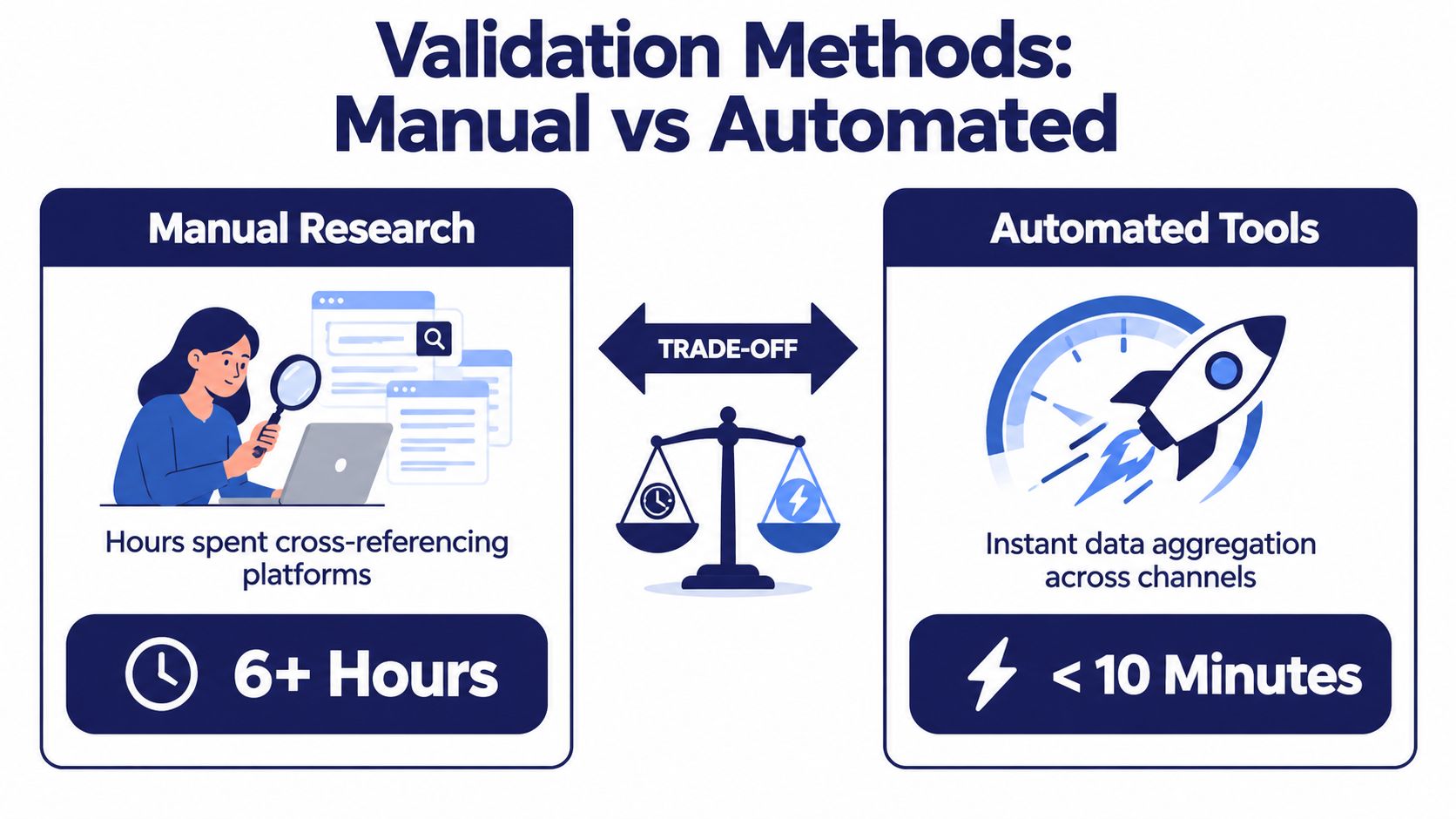
Manual research is valuable at the beginning because it teaches you how marketplaces really look. You notice repeated visual styles, weak thumbnails, odd pricing patterns, and the difference between a genuine niche and a temporary search result.
The problem appears when you try to repeat that process across several platforms for every idea. Cross-referencing stores, recording product details, saving images, and comparing tags can consume the time you should spend designing or improving listings.
| Validation method | Speed | Strength | Limitation | Best use |
|---|---|---|---|---|
| Manual browsing | Slow | Builds marketplace intuition | Difficult to repeat consistently | Learning a new category |
| Spreadsheet research | Moderate | Creates an audit trail | Requires careful data entry | Reviewing a small shortlist |
| Automated aggregation | Fast | Compares marketplace signals consistently | Still needs human interpretation | Screening many niche candidates |
| Combined workflow | Balanced | Pairs evidence with judgment | Needs a defined process | Ongoing store growth |
Match the method to the decision
If you're learning a new marketplace, browse manually first. You need to understand what buyers see, how sellers position products, and what kinds of designs appear repeatedly. Automation can't replace that initial context.
If you already understand the marketplace and need to compare many candidates, automated aggregation saves time. Trendlytic can collect bestseller information across TeePublic, Amazon Merch, Redbubble, and Etsy, while its trademark check adds a protection step to the research process. Use the resulting reports as a filter, not as an instruction to publish every suggested idea.
The strongest approach is hybrid. Let software narrow the field, then manually inspect the most promising stores and designs. Ask whether the product has a clear audience, whether you can make something original, and whether the niche fits your production capacity.
Automation should remove repetitive collection work. It shouldn't remove the seller's responsibility to interpret context.
A useful POD niche research tool can support that division of labor. The tool handles consistency and scale, while you decide which opportunities fit your creative strengths and commercial standards.
Protecting Listings With Trademark Screening
A takedown can remove more than one product. It can interrupt a niche launch, waste design time, and create account stress just when a store is gaining traction. Trademark screening doesn't guarantee that a listing is safe, but skipping it creates an avoidable risk.
The USPTO trademark system includes 12.7 million trademark applications and registrations from 1870 through March 2024. In 2024, the USPTO registered about 378,000 trademarks worldwide, including about 212,000 to U.S. owners, according to its trademark dashboard. The scale of the register makes casual checking unreliable.
Use a repeatable clearance filter
Start with the exact phrase, but don't stop there. The USPTO says potentially confusing marks can look alike, sound alike, have similar meanings, or create similar commercial impressions. The relatedness of the goods and services also matters, so a phrase must be evaluated in the context of what you're selling. See the USPTO guidance on confusingly similar trademarks for the official framework.
Search in this order:
- Exact wording: Check the phrase as you intend to print it.
- Alternate spelling: Try omitted spaces, plural forms, punctuation changes, and common misspellings.
- Sound and meaning: Consider homophones, abbreviations, translations, and phrases with the same commercial impression.
- Related terms: Search the words that a buyer might use to describe the same concept.
- Status and ownership: Review whether the result is pending, registered, abandoned, or otherwise active.
The USPTO's online tools support searches for applied-for and registered marks, so don't limit the review to completed registrations. A practical trademark overview for Amazon sellers can add commercial context, but it shouldn't replace professional legal advice for a difficult or valuable brand decision.
Record the decision
Keep a simple sheet with the phrase, search variations, relevant results, owner, status, goods or services, and your decision. If a phrase looks close to an active mark in a related category, remove it from the launch list rather than trying to make the design look different.
A trademark is a word, symbol, design, or combination that identifies and distinguishes goods or services, and protection can be renewed indefinitely when maintained, as explained by this University of Washington trademark guide. Screening is therefore a long-term catalog-control habit, not a one-time task. For sellers working with Merch by Amazon, this trademark protection guide offers a platform-focused place to continue the review.
This isn't legal advice. When the phrase is central to a brand, likely to attract substantial revenue, or difficult to interpret, speak with a qualified trademark professional before publishing.
Building a Sustainable Growth Workflow
A sustainable POD store needs a rhythm that protects attention. I prefer a monthly cycle built around three new niche validations, ten design tests per niche, trademark screening, optimized publishing, and a conversion review. Those are operating choices, not guarantees. The point is to create enough structure to learn without turning the store into an upload machine.

Use one working sheet
My spreadsheet has a row for each niche and columns for:
- Audience and angle: Who the product serves and what makes the idea specific.
- Source stores: Which sellers and marketplaces provided the initial evidence.
- Design status: Concept, drafted, screened, published, or paused.
- Listing inputs: Title, tags, product type, price, and primary mockup.
- Performance signals: Visits, favorites, purchases, conversion context, and notes.
- Decision: Expand, revise, monitor, or cut.
The decision column matters more than the upload date. If a niche attracts visitors but doesn't convert, improve the listing before abandoning the audience. If the listing receives little relevant attention, revisit the research. If a phrase creates trademark uncertainty, stop the test and replace it.
Separate creation from evaluation
Give each phase its own block of time. Research first, design second, screening third, publishing fourth, and review last. Constantly switching between them makes it easier to publish an unchecked phrase or change a listing before you have enough information to judge it.
After publishing, compare products within the same niche and marketplace. Don't treat one weak listing as proof that the entire audience is wrong. Look for patterns in the artwork, wording, product choice, and traffic source.
A focused workflow efficiency guide can help you reduce context switching, but no productivity system can compensate for weak niche selection. Efficiency matters after you choose work worth doing.
The review stage should produce a short next-month list: expand proven angles, revise promising listings, and remove ideas that repeatedly fail to earn attention or purchases. Consistency beats sporadic bursts because every cycle gives you cleaner evidence for the next decision.
Starting Small, Scaling Confidently
The first disciplined choice is usually more valuable than another tool. Pick one marketplace, validate five possible niches using store-first evidence, and clear the phrases before you publish. A narrow starting point makes it easier to understand what your buyers respond to and where your listing process breaks.
Don't chase every trend. A trend can produce a quick design idea, but it may also bring intense competition, short shelf life, and higher trademark risk. Evergreen audiences with a specific identity often give you more room to build related products over time.
Your first month may feel slow because research, screening, and testing don't create the instant visual reward of uploading a large batch. That isn't wasted work. You're building a record of what deserves more attention and what should be left alone.
Higher earnings come from concentrating effort on decisions that can survive contact with real buyers.
Try one niche test this week. Record the audience, the evidence behind the idea, the trademark checks, the listing changes, and the result. If the data is weak, adjust the method instead of increasing the volume. If the signal is promising, expand carefully and keep the same standards that made the first test useful.
Trendlytic brings together POD niche research, marketplace bestseller signals, listing details, related keyword discovery, and a built-in USPTO trademark check. Visit Trendlytic to test one niche with more evidence before you commit your time and catalog space.