USPTO Trademark Search by Owner: A Step-by-Step Guide
If the name on a storefront matches nothing in the federal register, does that mean the design is clear to print? I used to treat a blank owner search that way, and it is the wrong conclusion. A record can sit under a legal name, a former name, or a parent company, and finding that record still does not tell you whether it creates real print-on-demand risk.
A USPTO trademark search by owner is a way to pull the filings tied to a person or company. It is not a clearance opinion, and it is not a promise that a marketplace will leave a listing alone. I walk the checks in the order I use them, and I stop where the official tools stop.
Table of Contents
- Search Fields and Input Rules Compared
- How to Run an Owner Search Step by Step
- Catching Name Variants, Former Owners and Subsidiaries
- Reading Status, Numbers and Expiry Dates
- Which Owner Hits Create Real POD Risk and Next Steps
Search Fields and Input Rules Compared
The USPTO Trademark Search system does not offer one owner box that means the same thing every time. I match the field to the question before I type.
| Search field | What it matches | Input rule |
|---|---|---|
| ON: owner name field | Owner name only | Legal name in quotes |
| OW: owner record | Owner name, address, entity type, jurisdiction, applicant or registrant status | Name in quotes, optional date or status filters |
| Serial number | One trademark application record | All 8 digits |
| Registration number | One registered trademark record | Up to 7 digits |
| Assignment search | Assignor and assignee names with recorded transactions | At least 2 characters |
ON: searches the owner name only, so it is the right first query when you already have the exact legal name. Put a multiword name in quotes. Multiple words on an owner line are treated as one phrase, not as a loose pile of keywords.
OW: searches the broader owner record. That includes the owner name, mailing address, entity type, citizenship or incorporation jurisdiction, and whether the party is an applicant or a registrant. I switch to it when the same company may appear with address or organizational data rather than one tidy spelling.
A serial number needs all 8 digits and returns one application. A registration number can contain up to 7 digits and returns one registration. A name search needs at least 2 characters. That floor is not an invitation to search a tiny fragment and call the result complete.
What a recorded transfer shows
The original applicant is often not the current owner. Assignments on the Web records assignments, mergers, business-name changes, security interests, and licenses. You can search by serial number, registration number, assignor name, or assignee name. A result can show the reel and frame, the recording date, the document length, the conveyance text, the assignor, the assignee, the affected property numbers, and correspondence data.
Updated ownership may take up to 7 days to appear in the prosecution history. The USPTO recommends waiting one week after a notice of recordation before you rely on Trademark Status and Document Retrieval for the current owner.
Practical rule: Start with ON: for the exact legal name, and move to OW: once address or entity data may be part of the record.
How to Run an Owner Search Step by Step
I treat this as a staged protocol. One exact-name lookup is how portfolios get missed.
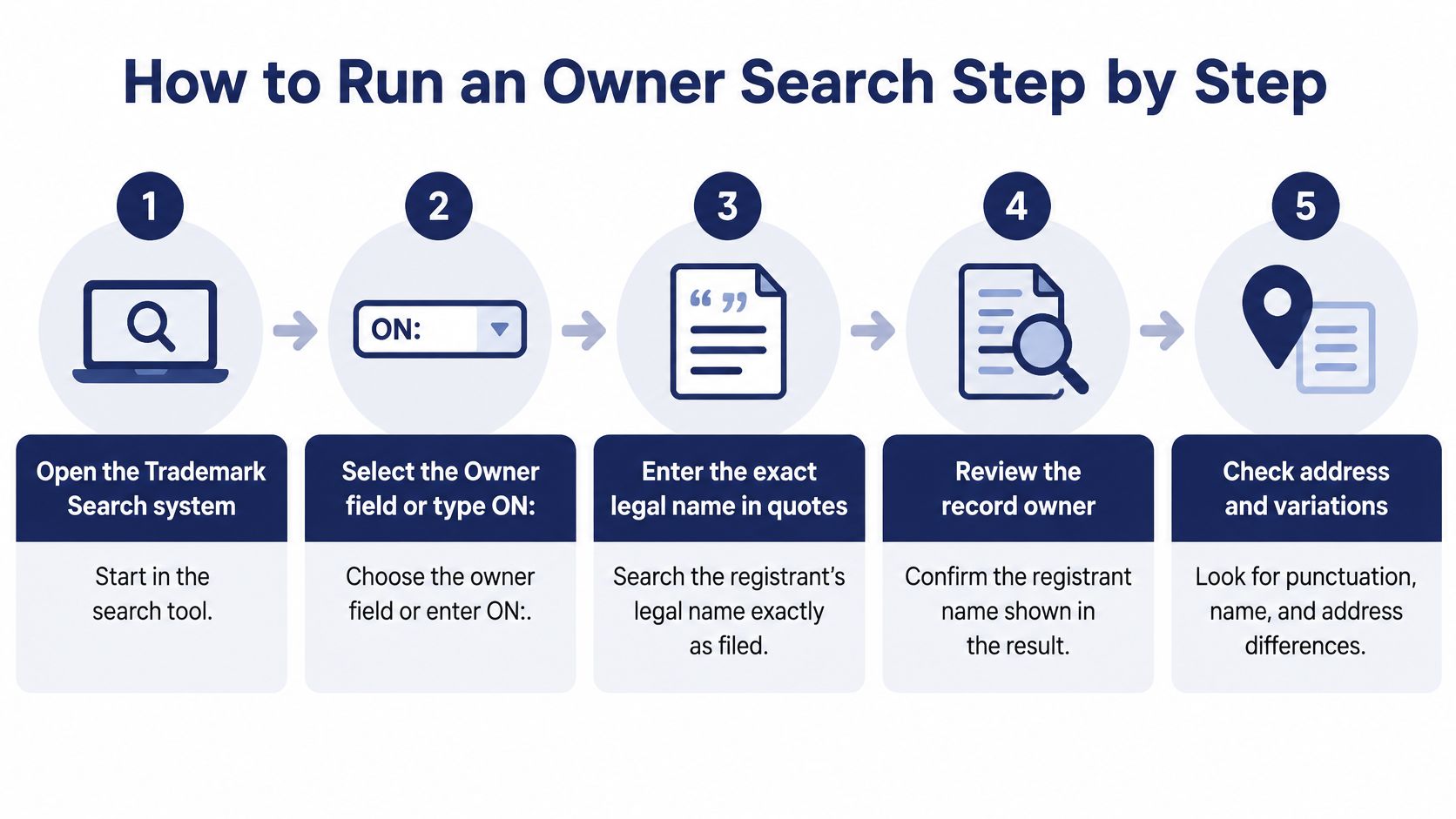
- Open Trademark Search, select the Owner field or type
ON:, and enter the exact legal name in quotes. The filing uses the registrant's legal name, and an approximate name lets unrelated owners in. The usual slip is pasting the shop title from TeePublic or Etsy and stopping there. - Run the search again after you change the entity designator and the punctuation. Drop or swap Inc., LLC, or Ltd., and try the name with and without commas. Punctuation can change
ON:results, which is why the first hit list is not the whole list. The USPTO field-tag handout is the syntax I keep beside the search box for this pass. - Search
OW:on the same name. This pass is for records where the company shows up with a mailing address or entity metadata, not only a clean owner-name string. - If the list is long, narrow it with a filing-date range. The documented pattern looks like
OW:name AND FD:[20230701 TO 20230731]. I use a date filter to shrink a portfolio, not to hide older clothing registrations that might still be live. - On every hit, read the owner field, the serial or registration number, the mark status, the filing date, the goods and services, and any correspondence or assignment line. An owner-name match alone does not prove present ownership, and it does not prove infringement risk.
- Save each serial or registration number and open that number in TSDR. A third-party summary is a convenience. The official record is what I want on file before I decide whether a phrase belongs in a niche shortlist.
Where this search ends
Federal owner results do not cover every right a seller might face. State registrations, common-law use, and marketplace rules sit outside this database. If you are weighing a filing of your own, the overview of state versus federal trademark options from LA Law Group, APLC is a useful contrast, because a state filing and a federal one answer different questions.
The USPTO also expects owner research to sit next to a broader clearance look at wording, appearance, sound, meaning, and related goods or services. I treat the owner pass as portfolio discovery. A healthy finish is a saved list of numbers, each one checked on the official record, not a screenshot of someone else's summary.
An empty first query is a reason to change the query, not a reason to send the design to print.
Catching Name Variants, Former Owners and Subsidiaries
False confidence usually comes from incomplete identity matching. ON: only reads the owner-name field. OW: also reaches address and entity data. One exact spelling can miss abbreviations, a former name, a punctuation variant, a subsidiary, or a different owner address. The USPTO getting-started guidance is precise about syntax, and it does not publish a universal success rate for owner searches. If I measure recall on my own alias list, that number is mine, not an agency benchmark.
I write the alias list before I search, then run each line in both fields and deduplicate by serial and registration number.
| Variant | Example for Acme Apparel, LLC | Why it can be missed |
|---|---|---|
| Exact legal name | Acme Apparel, LLC | Baseline quoted query |
| Normalized name | Acme Apparel LLC | Punctuation can change ON: results |
| Entity-designator variant | Acme Apparel Inc. | Filer may have used a different entity type |
| Former name | Prior storefront or company name | Record predates a rename |
| Abbreviation | Acme Appl | Shortened name on older filings |
| Parent or subsidiary | Acme Holdings | Brand transferred to another company |
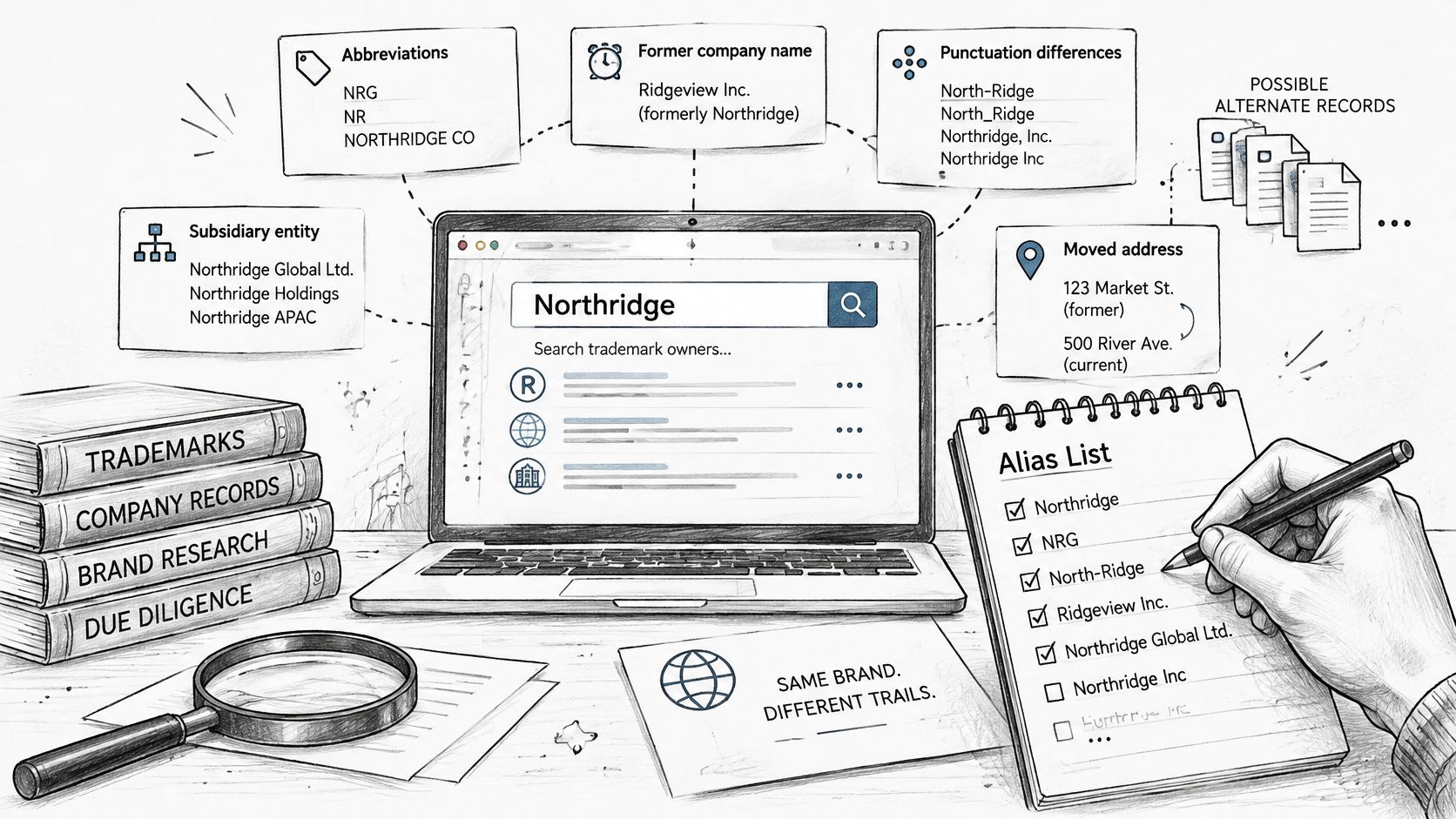
Say a seller searches only the storefront name and finds nothing. The brand was later transferred to a parent. An assignment search by the old assignor name shows the transfer, and an owner search under the parent reveals a live registration covering clothing. Without the alias step, that seller would have printed the design with no warning. I keep a note of which variant found each hit, so I can explain later why a result stayed on the list or came off it.
How I sort what comes back
After retrieval, I label every result as live, dead, pending, abandoned, canceled, or still needing review. A dead record can still matter as history, and a related application from the same owner may still be active. I then compare the owner's goods and classes with the design I want to sell. A clothing identification is a different practical problem from a registration aimed at unrelated services.
Quoted multiword phrases matter here too, because several words on the owner line are read as a phrase. After a promising hit, I search assignment records under the registrant's name for transfers, mergers, or name changes, and I wait after a notice of recordation before I treat the current owner as settled. The same alias sheet works the next time I screen a phrase I found while looking for lower-competition products.
Reading Status, Numbers and Expiry Dates
A registration date is not proof that anyone is still maintaining the mark. I read status in TSDR, then I put the maintenance calendar next to that date.
| Filing | Due window | Grace period |
|---|---|---|
| Section 8 declaration of use or excusable nonuse | Between years 5 and 6 after registration | 6 months |
| Combined Section 8 and Section 9 renewal | Between years 9 and 10 after registration | 6 months |
| Later combined filings | Every 10 years, such as between years 19 and 20 | 6 months |
The USPTO maintenance schedule requires a Section 8 Declaration of Use or Excusable Nonuse between the fifth and sixth years after registration. Between the ninth and tenth years, the owner files a combined Section 8 declaration and Section 9 renewal. Later combined filings come every ten years, counted the same way, including the window between the nineteenth and twentieth years.
Each of those deadlines has a six-month grace period. Filing in the grace period can still add cost and put the registration at risk. That is why a record can stay visible while maintenance is under review, and why a registration can later be cancelled even though you saw it last month.
What the status words are for
In TSDR I look for whether the mark is pending, registered, abandoned, or otherwise inactive, and I note the owner, the classes, and the filing history. Pending means someone has applied and the application is still in process. Registered means a registration issued, not that every later deadline was met. Abandoned and other inactive labels mean that particular filing is not a live barrier in the form you are viewing, which is not the same as "this wording is free forever."
A check I can repeat
A search tool can flag an owner or an expiry indicator. I treat that flag as a prompt to open the official record, not as the answer. My notes have four lines: the TSDR status, the registration date, the next filing window, and the date I checked. If the next window is close, or a grace period may be running, I do not treat an "expires soon" badge as a cancelled registration. I come back to the same serial number after the deadline period and read the status again.
Which Owner Hits Create Real POD Risk and Next Steps
No single search uncovers every potentially conflicting mark. The USPTO's own searching guidance says there is no surefire method, and it recommends multiple searches with different combinations of terms. I keep one owner search as one input.
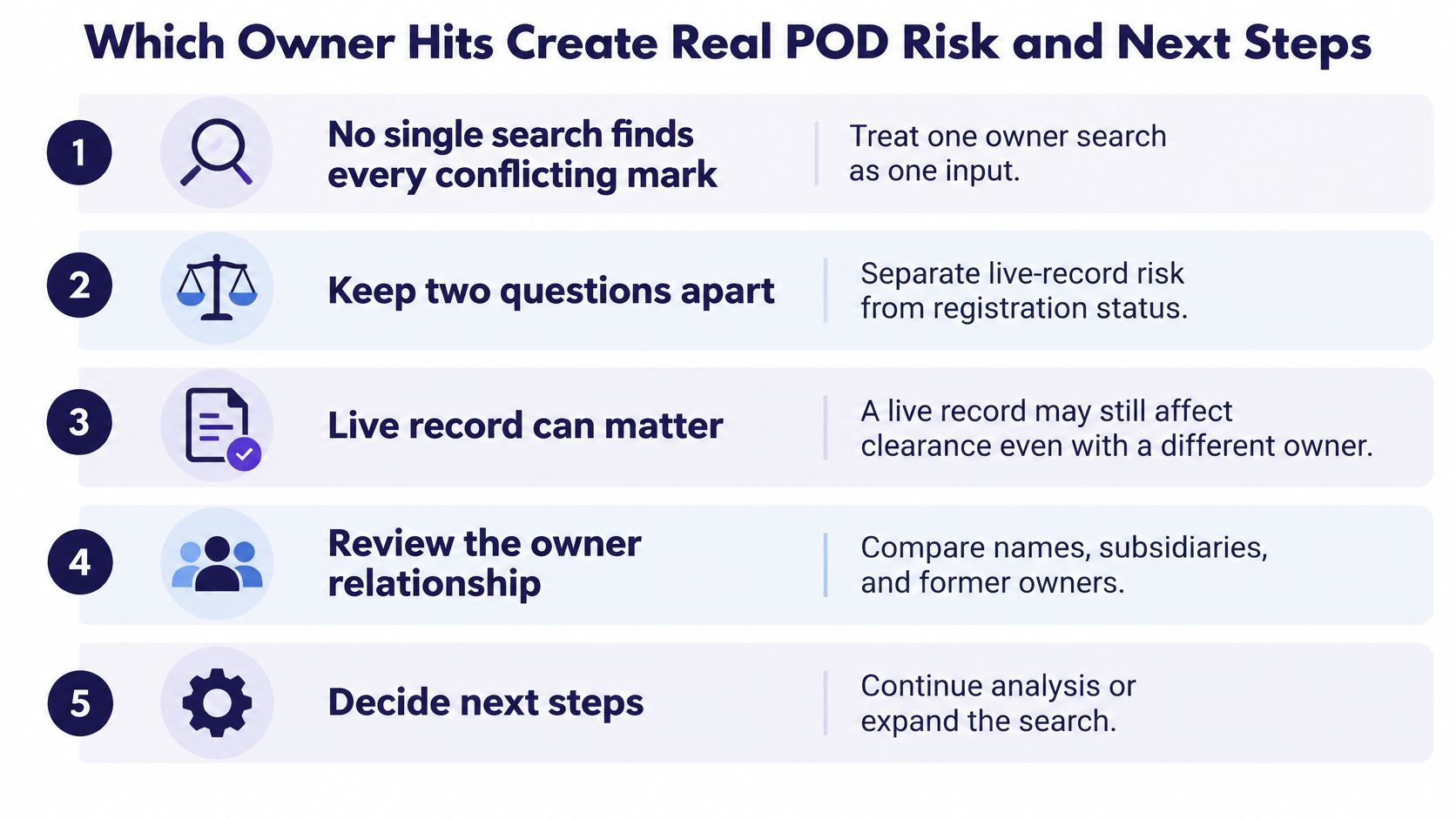
Two questions get mixed together all the time. The first is whether a live application or registration exists. In federal examination, only live applications and registrations are treated as potential barriers. The second is whether that live record touches your design. A live mark with similar wording can matter even when the owner is a different business. A live registration can be beside the point if the goods or services are unrelated to what you sell.
Dead, abandoned, and cancelled records are not an automatic all-clear. They can be historical clues, and the same owner's other applications may still be active. Marketplaces can also act on a rights-holder complaint before any USPTO decision about registrability. A clean database result is not the whole commercial answer.
| Record found | Why it matters | Practical response |
|---|---|---|
| Live registration covering clothing | Same goods a POD design sells | Treat as a serious conflict and do not print without legal review |
| Live application covering clothing | Can become a barrier during examination | Treat as a warning and recheck the status before launch |
| Live mark covering unrelated goods | Wording may be close but the goods differ | Note it and judge the commercial impression |
| Dead, abandoned or cancelled record | Historical clue; related filings may still be active | Save the number and check the same owner's other filings |
| Owner match with different wording | Same owner, different mark | Check whether the owner's other marks cover clothing |
What I do with the sorted list
For each row I verify identity and live status in TSDR, read the classes and the identification of goods, and compare commercial impression rather than exact spelling. A shirt design that copies the distinctive wording of a live clothing registration is a different problem from a mark used on industrial chemicals. I still write the unrelated hit down, because impression is a judgment, not a class number alone.
I repeat the owner search close to launch. Assignments, name changes, and maintenance filings move after the first pass. For a serious campaign, or for a brand that looks close to mine, I talk with a trademark attorney before I publish. Our built-in check is only an early filter: the free USPTO trademark checker allows three lookups a day, you run it yourself, and it is not legal advice. We advise verifying with a trademark attorney before a serious campaign, then confirming the official record. The same habit belongs in a shop's quality checks before a design goes live on Merch by Amazon, Redbubble, TeePublic, or Etsy.
Trendlytic is built for print-on-demand niche research, and the trademark check is there so you can see an owner, a status, and covered classes before you invest in a design. It will not replace the owner search, the alias list, or TSDR, and it will not replace a lawyer when a live clothing mark sits close to your wording. If you want that early filter beside your niche research, you can try it at Trendlytic.